Will AI replace video creators? That question keeps popping up in every editing forum I visit.
Here’s the honest answer. Not really.
AI is quietly taking over the boring stuff. Think transcription, rough cuts, captions, idea generation, footage organization, and audio cleanup.
But creative direction, storytelling, brand understanding, performance, and final decisions still need a human touch. AI can’t read a room. It can’t feel a pause the way a real editor can.
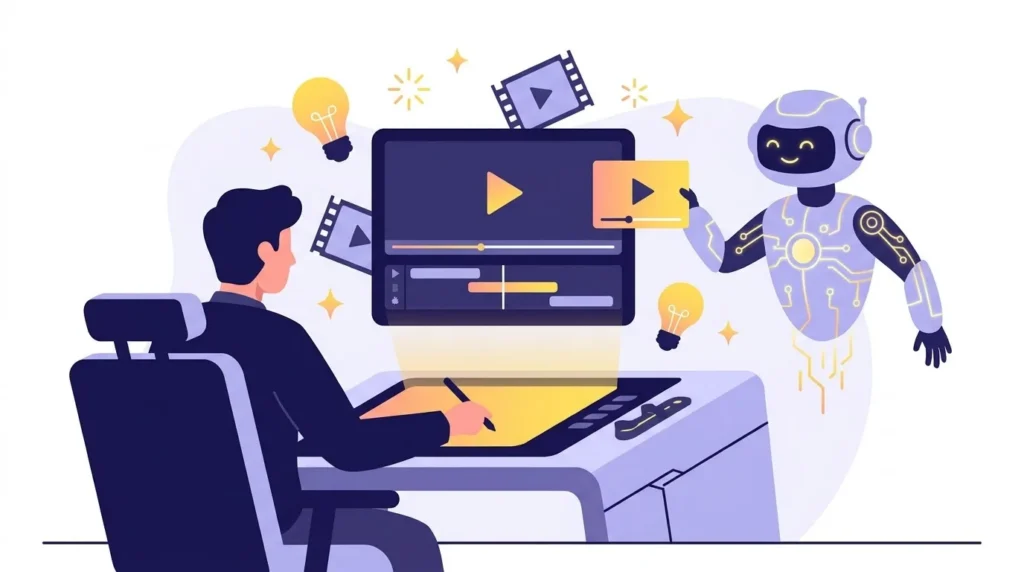
This article looks at AI tools for video production as a helpful assistant, not a replacement for creative professionals. We’ll walk through how AI-assisted video production can speed up nearly every stage of your workflow.
Think of it like this. AI handles the tedious parts so you can focus on making the video actually worth watching.
What Is AI Changing in Video Production?
How did AI become part of the modern production process?
AI video production tools moved way past simple automation. Now they support scripting, research, shot organization, transcription, editing, audio work, and repurposing old content into new formats.
I remember spending an entire weekend syncing raw interview footage by hand. These days a tool does it in minutes. That’s not laziness. That’s just smarter use of time.
Where does AI actually help most?
AI shines with tasks that are:
- Time-consuming
- Repetitive
- Data-heavy
- Easy to standardize
There’s a real difference between automation and creativity though. AI can sort a thousand clips by keyword. It can’t decide which clip makes an audience cry. That part stays human.
This is where a solid production assistant mindset matters. Let the tool handle the grind. Save your energy for the creative workflow decisions that actually move the needle.
Where AI Fits Into the Video Production Workflow
What does a simple AI-powered video workflow look like?
Break it into five stages.
- Idea Development. AI brainstorms concepts, hooks, and content angles.
- Pre-Production. AI drafts scripts, outlines, shot lists, and research notes.
- Production. AI supports teleprompter flow, audio monitoring, and background tasks.
- Post-Production. AI handles transcription, editing help, captions, and cleanup.
- Content Repurposing. One long video becomes clips, social posts, and captions.
Why does workflow integration matter so much?
Grabbing random tools without a plan usually creates more work, not less. I learned that the hard way after juggling five separate apps for one ten-minute video.
A smarter move is building one connected AI workflow for video production. Each tool covers one specific stage of your production pipeline instead of overlapping and stepping on each other.
AI Tools That Speed Up Pre-Production
Can AI actually make idea generation faster?
Yes, and it’s kind of addictive once you try it. AI tools for video production can brainstorm video ideas, suggest content angles, write hooks, organize research, and draft outlines in seconds.
Just don’t hit publish on the first draft. Review it. Tweak it. Make it sound like you, not a robot.
What about scripts and planning?
AI-assisted video creation can help with:
- First-draft scripts
- Scene descriptions
- Talking points
- Shot lists
- Interview questions
- Production checklists
Does this mean pre-production runs itself now?
Not quite. The creator still brings the brand voice, the audience context, and the final approval. AI creates a starting point. Humans shape the actual story around it.
AI Tools for Faster Editing and Post-Production
What can AI video editing tools actually do?
Modern AI video editing tools can find relevant clips, remove dead air, detect awkward pauses, build rough cuts, generate captions, transcribe interviews, sync audio, and organize messy footage folders.
According to Wyzowl’s 2026 video marketing survey, 63% of video marketers now use AI tools to help create or edit their videos, up from 51% just a year earlier. That’s a fast jump for any industry, and it says a lot about how normal this has become.
When does automated video editing work best?
Automated video editing really shines with:
- Interviews
- Podcasts
- Webinars
- Training videos
- Social media clips
- Long-form recordings
Just know that automated editing rarely delivers your final polished cut on its own. It gets you 80% there fast, then human judgment finishes the job.
How does AI help with audio and captions?
AI-assisted features now cover background noise reduction, voice enhancement, automatic subtitles, silence detection, audio leveling, and transcript-based editing. My editor friend calls it “the intern who never sleeps and never complains.”
Why does human editing still matter?
Because pacing is emotional, not mathematical. Creators still decide story pacing, emotional beats, brand personality, visual consistency, music choices, timing, and the final storytelling arc. No algorithm feels a heartbeat moment the way a person does.
How AI Helps Creators Without Replacing Them
What’s the real difference between AI doing the work and AI helping you work faster?
Big difference actually. Here’s what that looks like in real life:
- A creator reviews AI-generated transcript highlights before filming a follow-up.
- An editor uses AI to build a rough cut, then reshapes it entirely.
- A producer uses AI to organize scattered ideas into a plan.
- A social media team uses AI to spot short-form clips worth posting.
- A filmmaker uses AI to explore concepts before ever picking up a camera.
What do creators still fully control?
Storytelling, creative vision, brand voice, camera work, directing, performance, emotional storytelling, and every final editing decision. That list isn’t shrinking anytime soon.
The best results come from human creativity paired with AI efficiency. Not one replacing the other.
How AI Helps Video Production Teams
Does AI actually save teams time on repetitive work?
Yes, and that freed-up time usually goes right back into creative brainstorming, which is a fair trade if you ask me.
How does AI improve team collaboration?
Searchable transcripts, organized footage, and automated captions make life easier for producers, editors, writers, directors, marketing teams, and social media teams. Nobody’s digging through unlabeled folders at midnight anymore.
Can one shoot really turn into more content?
Absolutely. One production can become a full-length video, several short clips, social posts, promotional snippets, and educational content. Same footage, way more mileage.
How to Choose the Right AI Video Production Tools
Where should you even start?
Start with the actual bottleneck, not the shiniest new tool.
| Production Problem | AI Tool Category |
|---|---|
| Too much manual editing | AI editing tools |
| Slow transcription | AI transcription |
| Caption creation takes too long | AI captioning |
| Difficulty repurposing videos | AI clipping/repurposing tools |
| Audio cleanup takes time | AI audio enhancement |
| Content ideas are slow | AI content creation tools |
What should you look for in a tool?
Look for options that let you review, edit, customize, and override AI-generated results. If a tool won’t let you take the wheel back, skip it.
Do you need every AI tool out there?
No, and please don’t try. A small, reliable toolkit beats constantly hopping between platforms chasing the newest release. Pick two or three that actually solve your bottleneck.
If your team keeps running into the same mistakes with these tools, it might be worth reading up on common AI video production mistakes before you scale up your workflow.
Conclusion: Let AI Handle the Busywork
AI can speed up ideation, pre-production, editing, and repurposing in ways that would’ve sounded like science fiction five years ago.
But it doesn’t automatically replace creative professionals. The biggest value comes from letting AI handle repetitive work while humans handle the creative calls.
Start with one bottleneck. Maybe it’s transcription. Maybe it’s editing. Introduce AI there first and see how it feels before expanding.
The future of video production isn’t humans versus AI. It’s creators using AI to spend less time on busywork and more time creating stories worth watching. If you’re working with a video production company, ask them how they’re already using AI tools for video production behind the scenes, and you might learn a tool or two to improve your video scripts along the way.
FAQs
1. What are AI tools for video production?
They’re software tools that use AI to assist with scripting, transcription, editing, captions, audio cleanup, content generation, and repurposing existing footage.
2. How do AI tools speed up video production?
AI automates or accelerates repetitive tasks, helping teams move faster through editing, transcription, captioning, content organization, and repurposing.
3. Can AI video editing tools replace professional video editors?
AI can automate parts of the editing process, but professional editors still bring creative judgment, storytelling, pacing, brand consistency, and final quality control that AI can’t replicate.
4. How do creators use AI to speed up video production?
Creators use AI for brainstorming, script assistance, transcription, rough cuts, captions, audio cleanup, and turning long-form videos into shorter, repurposed content.
5. What is the best AI workflow for video production?
There’s no single workflow that fits everyone. The smartest approach is finding your slowest production stage and choosing AI tools that solve that specific bottleneck, while keeping humans in charge of every creative decision.