Ever waited three weeks for a 90-second video to come back from editing?
You’re not alone. Most business owners have lived through that exact headache.
The good news? That timeline is shrinking fast, thanks to AI.
In this guide, you’ll learn exactly how AI video production tools are cutting hours out of every stage. No fluff, just what actually works.
Why Did Video Production Take So Long in the First Place?
Traditional video production is slow because every step needs a human hand.
Someone writes the script. Someone else storyboards it. A third person edits frame by frame.
Add in revision rounds, and a simple product video can take weeks.
Small business owners feel this the hardest. You don’t have a full production team on standby.
You’re often the writer, the approver, and the person paying the freelancer invoice.
That’s exactly the gap AI is stepping into.
How Is AI Changing the Video Production Workflow?
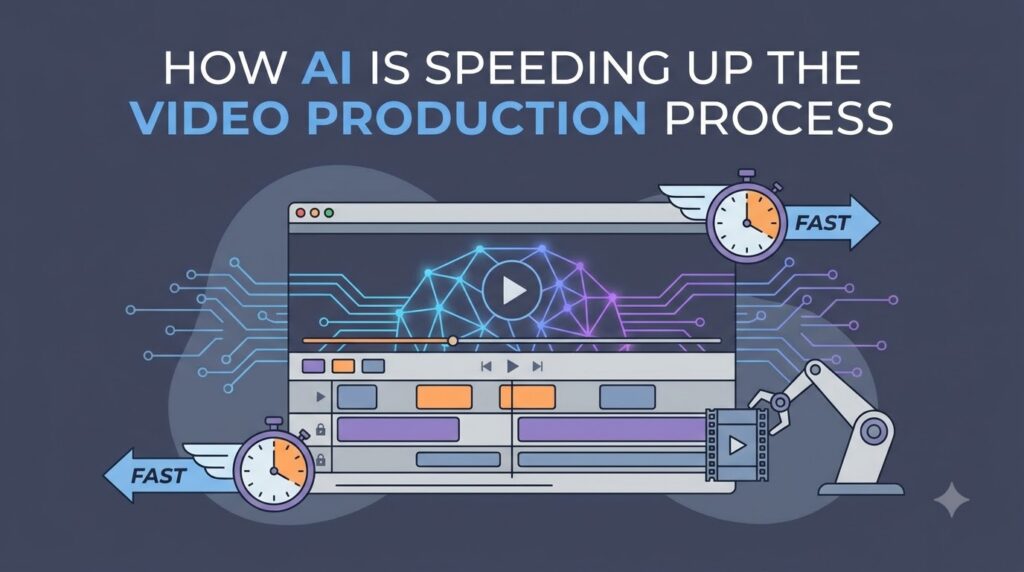
AI is speeding up nearly every stage of the video production workflow, not just editing.
Think of it less like one magic tool and more like an assistant at each checkpoint.
Here’s how it breaks down, stage by stage.
Pre-Production: Faster Scripts, Storyboards, and Planning
AI tools now draft scripts, generate shot lists, and mock up storyboards in minutes.
Instead of staring at a blank page, you start with a rough draft to edit.
Real example: A local bakery owner used an AI writing tool to draft a 30-second script for a new pastry launch.
What used to take her two days of back-and-forth with a copywriter took 20 minutes.
This is where AI content creation tools shine early in the process.
Production: Smarter Filming, Even With a Small Crew
You don’t need a full crew anymore to film clean, professional footage.
AI-powered cameras and apps now handle:
- Auto-framing so you stay centered on screen
- Real-time transcription while you talk
- Smart teleprompter scrolling that matches your pace
- Auto-adjusting lighting and exposure settings
This matters most for solo entrepreneurs filming their own content.
You get studio-level polish without hiring a videographer for every shoot.
Post-Production: This Is Where AI Video Editing Really Shines
Editing has always been the biggest time sink in video production.
AI changes that with automated cuts, scene detection, and one-click cleanup.
Here’s what AI handles automatically now:
- Removing background noise and echo
- Auto-captioning and subtitle generation
- Basic color correction and matching
- Detecting and trimming dead air or filler words
- Suggesting the best takes from raw footage
According to Wyzowl’s 2026 Video Marketing Statistics, 63% of video marketers now use AI tools to help create or edit videos, up sharply from just 51% the year before.
That’s not a niche trend anymore. That’s the new normal.
AI video editing doesn’t replace your judgment. It just removes the tedious first pass.
Distribution: One Video, Many Formats, Zero Extra Filming
You film once. AI resizes it for every platform automatically.
That means one shoot can become:
- A vertical Reel or Short
- A square post for Facebook
- A landscape version for YouTube
- A captioned clip ready for LinkedIn
Research from Rocketium’s 2026 video marketing analysis points out that lower production costs are pushing more businesses to produce higher volumes of video content.
Repurposing used to mean re-editing from scratch. Now it’s mostly automatic.
Quick Reference: Traditional Time vs. AI-Assisted Time
| Production Stage | Traditional Time | AI-Assisted Time |
|---|---|---|
| Scripting | 1-2 days | 20-30 minutes |
| Filming setup | Half a day | 1-2 hours |
| Editing a rough cut | 3-5 days | Same-day |
| Captioning | Several hours | Minutes |
| Repurposing for 4 platforms | 1-2 extra days | Automatic |
The pattern is clear. AI doesn’t just save time. It compounds across every stage.
Pro Tips for Using AI in Your Video Production Workflow
Expert Tip: Use AI for your rough cut, then do the final polish yourself. This keeps your brand voice intact while still saving hours of manual work.
A few more tips that come from actually using these tools day to day:
- Don’t trust AI captions blindly. Always proofread before publishing. Names and brand terms get mangled often.
- Feed AI tools clear direction. Vague prompts give vague scripts. Be specific about tone and audience.
- Batch your repurposing. Export all platform formats in one sitting instead of one at a time.
- Keep a human review step. Even a five-minute check catches awkward cuts AI misses.
- Start small. Test one AI tool on one video before overhauling your entire workflow.
This is the kind of AI-assisted video production approach that actually holds up over time.
Common Mistakes Businesses Make With AI Video Tools
Even smart business owners trip up here. Watch out for these.
- Over-automating everything. Full automation often strips out personality and brand feel.
- Skipping quality checks. AI tools still miss context, jokes, and tone sometimes.
- Picking tools that don’t fit their workflow. Not every AI tool integrates with your existing software.
- Ignoring brand consistency. Auto-generated clips can drift from your visual style if left unchecked.
- Expecting AI to replace strategy. Tools speed up execution. They don’t replace a clear content plan.
Myths vs. Facts About AI in Video Production
| Myth | Fact |
|---|---|
| AI will replace video editors entirely | AI handles repetitive tasks; editors still guide creative decisions |
| AI video tools are only for big companies | Many affordable tools are built specifically for small businesses |
| AI-generated video always looks robotic | Modern AI tools produce natural, polished results with the right input |
| You need technical skills to use AI video tools | Most tools are drag-and-drop, built for non-editors |
As one small business owner put it in a discussion on r/smallbusiness, AI tools didn’t replace their editor. They just freed up her time for the creative parts of the job.
Is AI Video Production Right for Your Business?
Short answer: probably, if you make video regularly.
AI video tools make the most sense for:
- Marketing teams juggling multiple campaigns
- Solo entrepreneurs filming their own content
- E-commerce brands needing frequent product videos
- Small agencies serving several clients at once
If you only make one video a year, the learning curve might not be worth it yet.
But if video is a regular part of your business, AI pays for itself fast.
Wrapping It Up
AI isn’t taking the creativity out of video production. It’s taking out the waiting.
Scripts draft faster. Edits happen quicker. One shoot turns into ten formats.
The businesses winning right now aren’t the ones with the biggest budgets.
They’re the ones moving fastest, and AI is exactly what’s helping them do it.
Start with one stage of your workflow. See what time you get back. Go from there.
Frequently Asked Questions
How does AI speed up the video production process?
AI automates repetitive tasks like captioning, scene detection, and reformatting for different platforms. This cuts editing time from days down to hours in many cases.
What are the best AI tools for video production right now?
The right tool depends on your stage. Scriptwriting, auto-editing, and auto-captioning tools are the most commonly used starting points for small businesses.
Can AI completely replace human video editors?
No. AI handles repetitive, time-consuming tasks well. Creative decisions, brand tone, and final polish still need a human touch.
How does AI improve the video production workflow for small businesses?
It removes the need for a full production team. One person can now script, film, and edit videos that used to require several specialists.
Is AI-assisted video production expensive to get started?
Not usually. Many AI video tools offer free or low-cost plans, making them accessible even for very small budgets.
What’s the difference between AI automation and full AI video generation?
AI automation speeds up parts of a video you still shoot yourself, like editing or captions. Full AI generation creates video content from text or images with little to no filming involved.