
Picture Dana, who owns a landscaping company outside Columbus, Ohio. Her service page is well written. Her photos are sharp. Yet she sits on page two, while a competitor with a 90-second video ranks above her.
Dana isn’t doing anything wrong. She’s missing one ingredient.
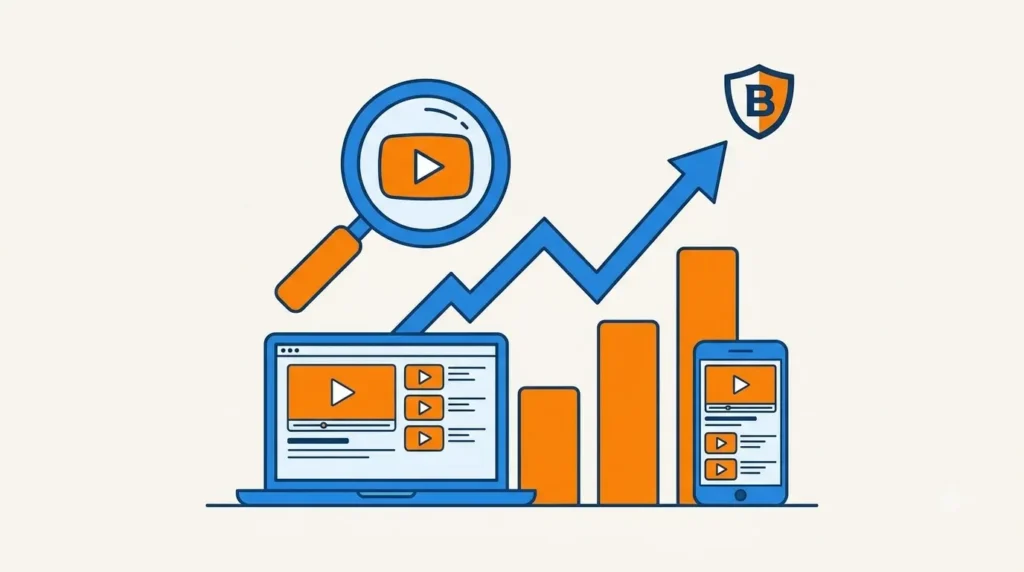
Here’s how video strengthens SEO: it earns richer search results, keeps visitors on your page longer, and makes your brand familiar before anyone clicks. It isn’t a magic ranking switch. But it moves several things Google cares about.
This guide covers what video does, where to put it, and which production choices matter most. Grab a coffee. We’ll keep it painless.
How Does Video Actually Strengthen SEO?
Video doesn’t rank your page on its own. It improves the signals and assets Google uses to judge whether your page is helpful.
Think of video as a great employee. It won’t run the business, but it makes everything around it work better.
Does Video Take Up More Space in Search Results?
Yes, it can. Pages with properly marked-up video can show thumbnails, video carousels, and “key moments” in results.
Google explains how this works in its video SEO best practices documentation. A bigger visual footprint means more eyes on your listing.
Nobody scrolls past a thumbnail like they scroll past plain blue text.
Can Video Help Google Understand Your Page?
It can, when you support it with text. Titles, descriptions, captions, and transcripts all give search engines context.
A page with a video plus helpful written copy covers a topic more fully. Fuller coverage tends to serve searchers better.
Here’s the catch. Google can’t “watch” your video the way a person does. It relies on the text and data you provide around it.
Does Video Improve Dwell Time and Page Experience?
Often, but let’s be honest about it. Google doesn’t publish a “dwell time” score. Nobody outside Google can prove it’s a direct ranking factor.
What we do know is simple. Google says it wants to reward helpful, people-first content. Pages that satisfy visitors tend to hold their attention.
A good video helps a page do exactly that.
Does Video Earn Backlinks and Shares?
Original video gets embedded, quoted, and shared. A clear how-to or a behind-the-scenes look gives other sites a reason to link to you.
Links remain one of the strongest signs of authority. A helpful video is a quiet link magnet.
Expert Tip: Don’t expect video to fix a weak page. Fix the page first, then add video to make a good page great. Production directors see this mistake all the time.
What are the Benefits of Video for SEO and Website Engagement?
The main benefits are longer visits, better click-through, clearer messaging, and a smoother mobile experience. Each one connects to a business result you can actually feel.
Why Do Visitors Stay Longer When a Page Has Video?
A short, relevant video gives visitors a reason to stay. They watch, then they scroll, then they read.
Imagine a roofing company’s service page. A 75-second video shows the crew inspecting a roof and explaining what they look for. Visitors who watch it often keep reading about pricing and process.
That’s how videos improve website engagement in real life. Attention begets attention.
Can Video Help You Get More Clicks From Search?
It can. A thumbnail in the results gives your listing personality. Pair it with a clear title, and people tend to notice you.
Keep the claim modest, though. Results vary by query, industry, and competition. Test it on your own pages and measure.
Does Video Make Your Message Easier to Understand?
Yes. Complicated services are tough to explain in paragraphs. Sixty seconds of video can do the job faster.
Marketers seem to agree. Wyzowl’s annual video marketing statistics report surveys marketers each year about how video affects understanding and results. Read the latest edition for current numbers.
Clearer messages also bring better inquiries. Fewer “what do you actually do?” calls. More “when can you start?” calls.
What About Mobile Visitors?
Most of your audience is probably holding a phone. Short, captioned video suits small screens far better than a wall of text.
The Pew Research Center tracks how many U.S. adults use video-driven platforms like YouTube. The audience is already there, watching.
Here’s a quick view of what each benefit does for you:
| Benefit | What Happens | Business Result |
|---|---|---|
| Longer time on page | Visitors watch and keep reading | Better engagement signals |
| Rich results | Thumbnail or key moments appear | More visibility in search |
| Clear messaging | Services are explained quickly | Better-qualified leads |
| Mobile friendliness | Captioned clips fit small screens | Fewer quick exits |
What Is a Video Content SEO Strategy, and How Do You Build One?
A video content SEO strategy is a plan for creating, optimizing, and placing video so it supports search visibility. Here’s the six-step version we use on real projects.
Step 1: How Do You Match Video to Search Intent?
Start with what searchers want. Then pick the video type that fits.
- Service pages: a short explainer
- Product pages: a walkthrough or demo
- Trust pages: customer testimonials
- Blog posts: how-to videos
Next, check Google. Search your target keyword and see which formats already show up. If videos dominate, you need one.
Step 2: How Should You Script for Search?
Write real customer questions into your script. Answer them out loud, in plain language.
Here’s a bonus most people miss. Your spoken words become a transcript. That transcript becomes indexable text.
So say “how much does a kitchen remodel take?” instead of “our process timeline.” Talk like a human.
Step 3: YouTube or Self-Hosted: Where Should You Host?
Both work. They do different jobs.
YouTube gives you reach, since it’s a huge search engine on its own. Self-hosting keeps traffic and rich results on your own site.
Most brands do best with a hybrid approach. Post on YouTube for reach. Embed an optimized version on your key pages.
| Option | Visibility | Site Control | Rich Results on Your Domain | Best For |
|---|---|---|---|---|
| YouTube only | High reach | Low | Weak | New brands wanting exposure |
| Self-hosted only | Lower reach | High | Strong | Brands focused on site traffic |
| Hybrid | High reach | High | Strong | Most businesses |
Step 4: How Do You Optimize Video Content for Search?
Cover the basics on every video:
- Use a descriptive file name, like
kitchen-remodel-process.mp4. - Write a clear title and description.
- Create a custom thumbnail.
- Add captions.
- Publish an edited transcript on the page.
- Add VideoObject schema.
Schema sounds scary. It isn’t. It’s a short block of code that tells Google your video’s title, description, thumbnail, and upload date. Google’s video structured data guide walks you through it.
Have lots of videos? Consider a video sitemap too.
Expert Tip: Make sure Google can actually find your video. If it’s buried behind a script or loads only after a click, indexing can fail. Check the video indexing report in Google Search Console.
Step 5: Where Should Video Go on the Page?
Put one main video on each priority page. Place it near the top, with relevant text around it.
One strong video beats five random ones. Don’t make visitors choose.
Step 6: What Should You Track?
Watch these numbers:
- Video impressions and clicks in Search Console
- Play rate
- Average watch time
- Page-level engagement
Review them monthly. Then tweak. That’s it.
For more ideas, check these SEO tips for video marketing from the team at K3 Video Production.
Why Does Video Matter for Your Brand’s SEO Strategy?
Because search is no longer just about rankings. It’s about being remembered. Video builds brand awareness through video content in a way text rarely can.
How Does Video Build Recognition Before the Click?
People remember faces and voices. See the same friendly contractor in a few videos, and you start to trust him.
Later, when you search for a contractor, his name feels familiar. You click it. That’s video marketing for brand visibility doing its quiet work.
Branded searches often grow as a result. Branded search growth is a healthy sign for any business.
Can Video Show Real Experience and Trust?
It’s one of the best ways. Google’s quality guidance emphasizes experience, expertise, authoritativeness, and trust, known as E-E-A-T. You can read it in the helpful content guidance.
Text can claim experience. Video proves it.
Good examples include:
- Behind-the-scenes footage of real projects
- Team introductions
- Client results told in their own words
- Process walkthroughs
A dentist explaining her office tour on camera feels more real than any “About Us” paragraph. (That’s a general trust example, not health advice.)
Is Video a Smart Reusable Asset?
Absolutely. One production day can give you:
- A main website video
- Short clips for social media
- A video for your email newsletter
- A cut for your Google Business Profile
That’s how a smart production partner stretches your budget. You shoot once and cut many.
What Pro Tips Do Production Experts Swear By?
These come from the production side. Most SEO articles skip them.
Expert Tip Box: 7 Production Habits That Help SEO
- Shoot once, cut many. Plan vertical and horizontal versions on the same day.
- Front-load the answer. Put your key message in the first 10 seconds.
- Design for sound-off viewing. Burn in captions, and also upload a caption file for indexing.
- Build a readable thumbnail. Check it at phone size.
- Edit your transcript. Don’t paste raw text. Make it readable.
- Keep files lean. Compress video and lazy load it so pages stay fast.
- Refresh old videos. Update titles, descriptions, and end screens as services change.
Speed matters here. Google’s Core Web Vitals guidance explains how page performance affects user experience. A heavy video file can slow a page. Compress it.
Think of it like packing for a road trip. Bring what you need. Leave the extra suitcase at home.
What are the Most Common Video SEO Mistakes?
The biggest mistakes are small, fixable, and surprisingly common. Here’s what we see most often.
Which Mistakes Hurt Video SEO the Most?
- Stuffing several unrelated videos on one page. It confuses visitors and search engines.
- Autoplaying with sound. People hit the back button fast.
- Burying video under heavy scripts. The page crawls and so does your engagement.
- Skipping transcripts and schema. You’re leaving free context on the table.
- Publishing video with no surrounding text. Google needs words to understand it.
- Treating video as decoration. Every video should answer the page’s purpose.
Picture Mike, who runs an HVAC company in Phoenix. He added a flashy brand video to his homepage. It autoplayed, loaded slowly, and said nothing about his services.
His bounce rate didn’t improve. Then he swapped it for a clear 60-second “what happens during a service call” video. Same page, better purpose.
What are the Biggest Video SEO Myths vs. Facts?
| Myth | Fact |
|---|---|
| Any video on a page boosts rankings. | Relevant, well-implemented video supports the signals that help rankings. |
| Longer videos perform better. | Length should match intent. A short, clear video often beats a long, loose one. |
| Uploading to YouTube is enough. | It helps reach, but your own site needs optimized video to benefit. |
| Production quality doesn’t matter. | Clear audio, clean framing, and a tight edit affect trust and watch time. |
Curious what other marketers think? Threads on communities like r/SEO on Reddit show plenty of debate on this. Always test advice against your own results.
How Should You Plan Your Visuals for This Strategy?
Plan visuals while you plan the page. Here’s a simple placement guide.
- After your intro: a hero image of someone reviewing video analytics
- In the mechanics section: an annotated screenshot of a search result with a video thumbnail
- In the benefits section: a simple graphic showing video, engagement, then visibility
- At the hosting step: the comparison table above
- At the optimization step: a checklist graphic or sample schema image
- In the pro tips section: a behind-the-scenes shoot photo
- In myths vs. facts: the table above
Write alt text that describes the image plainly. For example: “video thumbnail appearing in Google search results.” Skip the keyword stuffing.
Conclusion: Where Should You Start?
Start small. Pick one priority page and make one well-planned video for it.
Here’s the recap. Video supports visibility through rich results. It strengthens engagement. It builds brand recall. And it works best when production and SEO planning happen together.
Remember Dana from Columbus? She doesn’t need ten videos. She needs one that answers her customers’ top question, hosted smartly and marked up properly.
Video won’t do the job alone. But with a solid plan, it makes your whole site work harder.
Frequently Asked Questions
Does adding video to a page improve its Google ranking?
Not automatically. Video can support rankings by improving engagement, earning rich results, and covering a topic more fully. It works best on pages that already deserve to rank.
Should I host videos on YouTube or on my own website?
Use both. YouTube gives you reach. Your site gives you control and rich results on your own domain. A hybrid approach suits most brands.
How long should a video be for SEO?
Match length to intent. Many service-page explainers work well at 60 to 120 seconds. Tutorials can run longer if every minute earns its place.
Do transcripts and captions help SEO?
Yes. They give search engines indexable text and make your video accessible to more people. They’re one of the easiest wins in video content optimization.
How does video affect how long visitors stay on my site?
Engaging, relevant video often keeps people on the page longer. Just note that Google hasn’t confirmed dwell time as a direct ranking factor. Think of it as a helpful side effect.
Can small businesses benefit from video marketing for brand visibility?
Absolutely. A few focused videos on key pages, plus repurposed short clips, can strengthen visibility without a huge budget. Start with one and build from there.