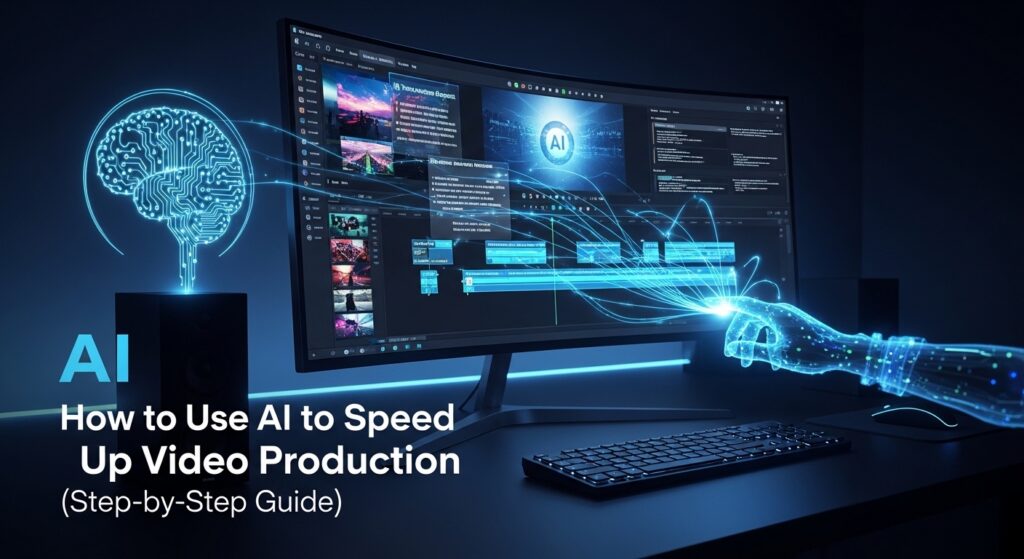
Remember when making a business video meant hiring a whole crew, renting equipment, and waiting weeks? Yeah, that nightmare is real. Traditional video production is slow, expensive, and honestly kind of chaotic.
But here’s the good news: AI video production workflow tools in 2026 have completely flipped the script.
Small businesses across the USA are now creating scroll-stopping ads, product videos, and social content without blowing their entire marketing budget. Think of a two-person team in Austin cranking out weekly YouTube content and daily Instagram Reels, without a single professional editor on staff. That’s the power of AI.
By the end of this guide, you’ll have a step-by-step AI video production workflow you can actually use starting today.
What is an AI Video Production Workflow?
So what exactly are we talking about here?
An AI video production workflow is basically a smart system where artificial intelligence handles the repetitive, time-consuming parts of making videos. Things like cutting clips, syncing audio, formatting for different platforms, that kind of stuff.
Traditional production: script, shoot, edit (for hours), export, repeat. AI-enhanced production: script, shoot, let AI do the heavy lifting, done.
One of the coolest concepts here is generative video consistency, which means AI keeps your visuals, tone, and branding aligned across every video you make. So your brand doesn’t look like five different people made it.
Think of AI as your creative assistant, not a replacement for your creative mind. You still drive the bus. AI just handles the boring parts.
Step-by-Step AI Video Production Workflow
Step 1: Script and Storyboard Creation
Can AI actually write a decent script for my business video?
Yes, and faster than you’d think.
Modern AI tools can generate full video scripts based on your marketing goals in minutes. You feed it your product details, your audience, your tone, and boom, you’ve got a draft.
Even better, text-to-video storyboard generation tools take that script and automatically lay out visual scenes. No sticky notes on a whiteboard required. AI script-to-video consistency techniques make sure your words and visuals actually match, which sounds obvious but is shockingly easy to mess up manually.
Pro tip: Always add your brand voice on top of the AI draft. The AI gives you the structure; you give it the personality.
Step 2: Automated Footage Organization and Scene Detection
How do I stop spending three hours hunting for one good clip?
AI-powered scene detection and trimming is your new best friend here.
Drop your raw footage into an AI editing tool and it scans everything automatically. It identifies scenes, tags clips by faces, objects, even emotions, and organizes them for you. No more scrubbing through an hour of shaky B-roll to find that one clean ten-second shot.
According to a 2024 report by Vidyard, marketing teams save an average of 40% of their editing time with AI-powered organization tools. That’s real hours back in your week.
Step 3: AI Automated Rough Cut Assembly
Can AI actually put my video together for me?
Pretty much, yeah.
AI automated rough cut assembly tools stitch your clips into a basic timeline, match them with your script or voiceover, and give you a working rough cut in minutes instead of hours. For product videos, quick ads, or Instagram Reels, this alone is a game-changer.
Imagine you run a skincare brand in Chicago. You shoot product footage on a Tuesday, drop it into your AI tool, and have a rough cut ready for review by Wednesday morning. That used to take a professional editor two full days.
Step 4: Editing Optimization for Quality and Speed
My footage is huge 4K files and my laptop dies every time I try to edit. Help.
AI video editing workflow for 4K raw footage optimization is genuinely impressive right now.
AI tools can automatically handle color grading, audio cleanup, and video stabilization without you touching a single slider. They also optimize heavy 4K footage so it doesn’t murder your computer during editing. This is a lifesaver for small teams without beefy editing rigs.
You get cleaner, more professional-looking videos with way less manual work. A smoother edit for your viewers and a less frustrating experience for you. Win-win.
Step 5: AI Rendering and Export Optimization
Why does exporting always take forever?
Because traditional rendering uses only your CPU and GPU. AI changes that.
Cloud-based AI rendering sends the heavy computation to powerful remote servers instead of your laptop. And newer systems use Neural Processing Units (NPUs), chips specifically designed for AI tasks, which dramatically cut down export times.
So instead of leaving your computer running overnight for one 4K export, you could be done in 20 minutes. For businesses producing content regularly, that time adds up fast.
Step 6: Multi-Platform Formatting and Distribution
Do I really have to manually resize every video for every platform?
Not anymore.
Automated multi-platform video reformatting tools handle this automatically. You make one master video and AI resizes it for YouTube (16:9), Instagram (1:1 or 4:5), TikTok (9:16), and ads in one go. It adjusts aspect ratios, repositions captions, and tweaks layouts so things don’t look weirdly cropped.
This alone saves social media teams hours every single week, while keeping your branding consistent everywhere your content lives.
Best AI Tools for Video Production in 2026
What are the best AI tools for consistent video creation?
There’s a lot out there, so here’s how to think about the categories rather than just chasing the newest shiny app:
- Script generation tools: These take your brief and produce ready-to-edit scripts. Great starting point for any workflow.
- Editing and automation tools: Handle rough cuts, color grading, audio cleanup, and export optimization.
- Character consistency tools: This is huge for branding. Best AI tools for consistent character generation in video keep your on-screen personas, brand mascots, or spokespersons looking the same across every video. No jarring visual switches between episodes.
When picking tools, think about your team size and goals first. A solo creator needs different tools than a five-person marketing team. Start simple, then layer on more as your workflow matures.
Benefits of Using AI for Small Business Video Marketing
Is AI video production actually worth it for a small team?
Absolutely. Here’s the short version:
- Faster turnaround: What took days now takes hours.
- Lower costs: Less time on editing means lower agency fees or less overtime.
- Consistent branding: AI keeps your look and feel tight across all content.
- Scale without hiring: You can produce more content without growing your team.
- Less dependency on agencies: More creative control stays with you.
For step-by-step AI video production for small marketing teams, the ROI is hard to argue with.
Common Mistakes to Avoid
What do people get wrong when starting with AI video production?
A few big ones to watch out for:
- Over-relying on AI without a human review: AI makes mistakes. Always have a real person check the final cut.
- Ignoring brand voice consistency: Generative video consistency only works if you feed the AI your actual brand guidelines.
- Using too many tools at once: Workflow chaos is real. More tools does not equal better results.
- Not formatting for specific platforms: An Instagram video is not a YouTube video. Treat them differently.
Keep your workflow simple and repeatable. That’s the goal.
Conclusion
Here’s the bottom line: AI is not here to replace your creativity. It’s here to handle the stuff that was eating your time and budget.
With a solid AI video production workflow in 2026, small teams can produce high-quality, consistent video content at a scale that used to require full production agencies. Whether you’re making product demos, social reels, or ad campaigns, the tools are ready for you.
Don’t try to overhaul everything overnight. Start with one AI tool, master it, and build your workflow from there. Test, iterate, and scale your content. The best time to start was yesterday. The second best time is right now.
Frequently Asked Questions
What is an AI video production workflow in 2026?
An AI video production workflow in 2026 is a system where AI tools handle the time-consuming parts of video creation, including scripting, footage organization, rough cuts, editing, rendering, and multi-platform formatting. It automates repetitive tasks so your team can focus on creative decisions and strategy instead of manual editing work.
How does AI reduce video editing time?
AI reduces editing time through three main functions: scene detection (automatically identifying and tagging clips), rough cut assembly (stitching footage into a timeline based on your script), and automated edits (color grading, audio cleanup, stabilization). Tasks that used to take a full day can often be done in a couple of hours.
Can small businesses use AI for video marketing?
Yes, and it’s one of the best use cases for AI right now. Small businesses benefit from lower production costs, faster content turnaround, and the ability to scale video output without hiring more staff. Many AI tools are affordable and designed with non-technical users in mind.
What are the best AI tools for consistent video creation?
The best tools for generative video consistency fall into three categories: script generators, editing and automation platforms, and character consistency tools. The right choice depends on your team size and content goals. Look for tools that let you save brand settings, style presets, and character profiles to keep everything looking cohesive across your videos.
How can I speed up video export using AI hardware?
You can speed up exports using cloud-based AI rendering (offloading computation to remote servers) or tools that leverage Neural Processing Units (NPUs) built into newer computers. Both approaches dramatically cut export times compared to traditional CPU/GPU rendering, especially for large 4K files.